


Example Link Preview in a Notion workspace

Example Mention in a Notion workspace
title attribute and a dev attribute.
Using the same Link Preview and Mention we saw above, let’s look at the array of unfurl attribute objects that would render these previews. The following payload represents the example Link Preview and Mention above:
section value.
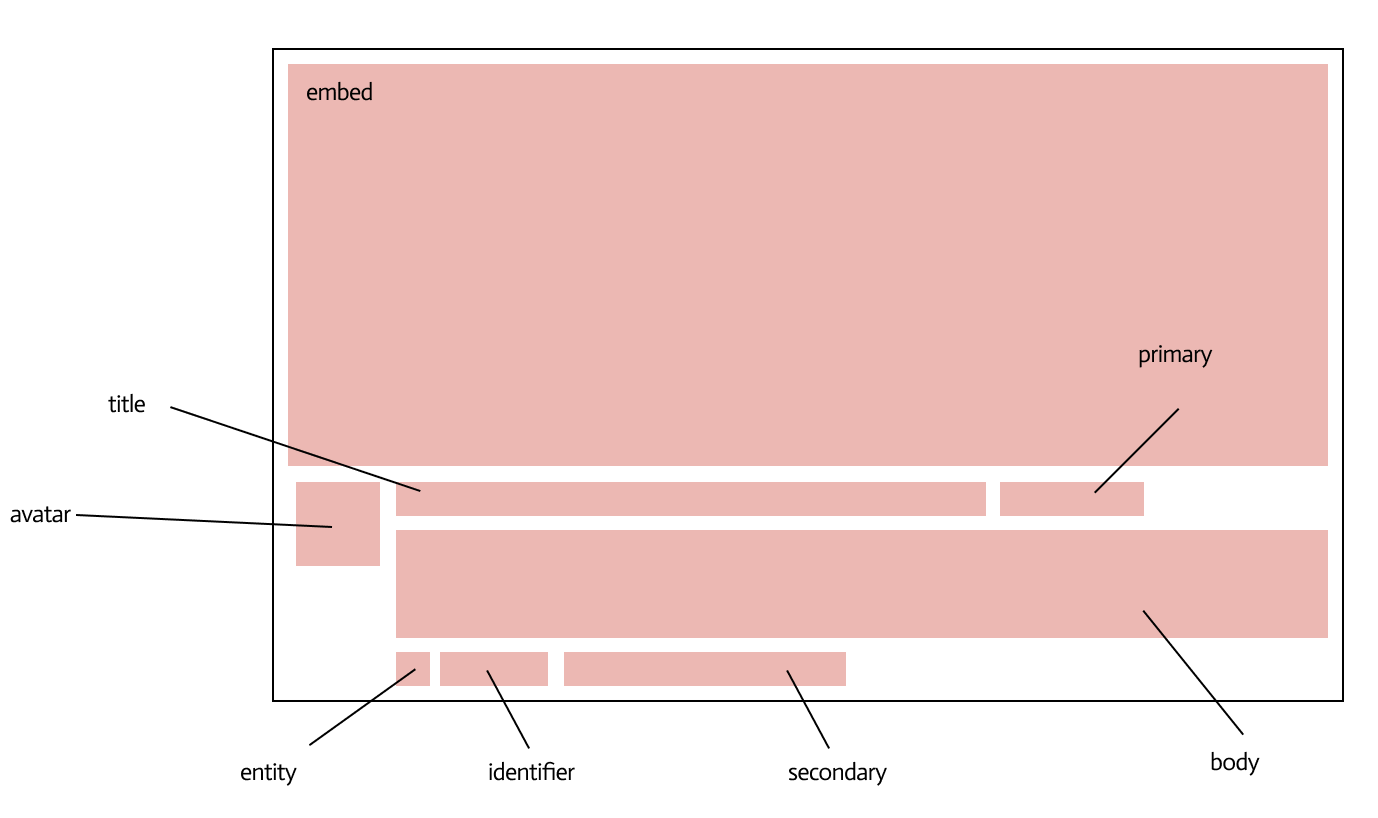
Anatomy of a Link Preview in Notion
The unfurl attribute object
Inline sub-type objects
The key of inline sub-type objects represents the kind of sub-type. The values of the key are thevalue to display and the section of the Link Preview where the value is rendered.
The dev attribute
Every array of attribute objects that is sent to Notion to render a Link Preview must also include a dev attribute. The attribute indicates the service or company associated with the Link Preview. It takes the following format:
Embed sub-type child objects
Theembed sub-type object adds rich content like JPGs, GIFs, or iFrames to a Link Preview.

An example Link Preview that embeds an image of Kermit the Frog
src_url field that is a link to the embed, and an object whose key is the sub-type of the embed and whose value is an object indicating the section of the Link Preview where the value is rendered.
There’s no need to ask a user to log in to the source service in an iFrame embed. If they’re using a Link Preview, then they’ve already authenticated.
The section value
The section value of an unfurl attribute object defines where an attribute is rendered in the Link Preview or Mention.
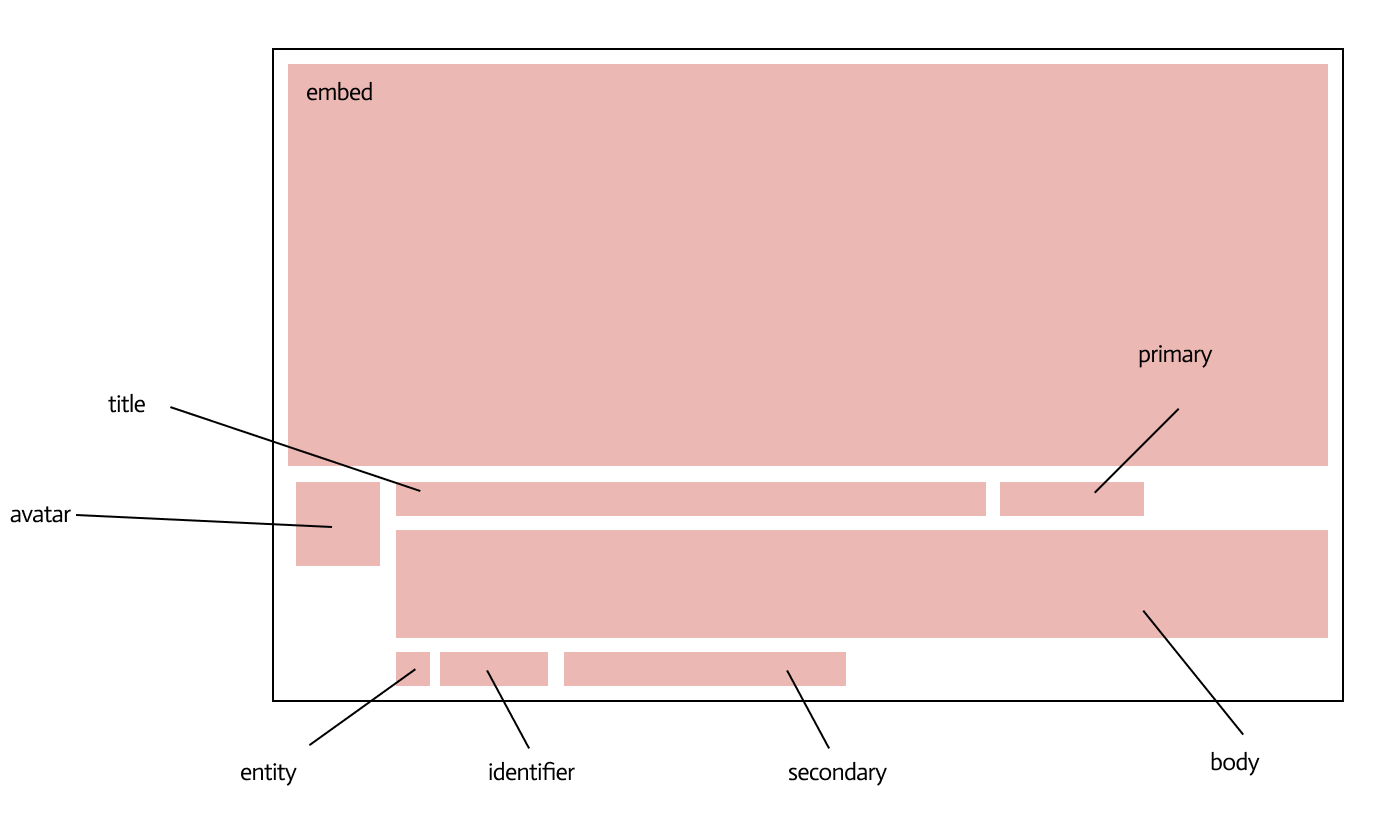
The sections of a Link Preview

The sections of a Mention
section is specified in the sub-type object for the attribute. Refer to the table below for details about each section and its valid parent sub-types.